As an Amazon Associate I earn from qualifying purchases. This page contains affiliate links, and I may earn a commission at no extra cost to you.
Sphero BOLT vs Sphero Mini: The Core Dilemma
Buying an educational coding toy often lands parents in an awkward spot. Spend £50 on an entry-level gadget and risk it ending up forgotten at the bottom of a toy box after three days. Spend over £130 on a sophisticated piece of hardware and you might feel you paid for university-grade engineering when your ten-year-old just wanted to steer a ball around the living room rug. That precise dilemma defines the choice between the Sphero Mini and the Sphero BOLT.
Both robots hail from Sphero, a brand established across UK schools and computing clubs for making programmable rolling spheres that teach genuine computer science logic. Both connect via Bluetooth to mobile devices and leverage the Sphero Edu platform, letting learners transition from simple drag-and-drop block coding up to raw JavaScript. Yet they occupy drastically different tiers of hardware capability, physical durability, and educational ceiling.
This buying guide breaks down the real differences across design, sensor loadouts, battery systems, and coding depth based on published technical specifications and widespread user feedback. We will also explore five alternative coding robots to ensure you invest in the exact device that matches your child's age, curiosity, and technical ambition.
Head-to-Head Comparison: Sphero BOLT vs Sphero Mini
Before examining the engineering nuances, here is how the primary contenders and their closest market rivals stack up against one another in core specifications and price bands.
| Product | Target Age | Key Hardware Specs | Price Band | Verdict | Buy Link |
|---|---|---|---|---|---|
| Sphero BOLT | 8–16+ years | 8x8 LED Matrix, IR, Compass, Light Sensor, Inductive Charging | Premium (£130–£160) | The gold standard for serious STEM learning and long-term coding progression. | See it on Amazon |
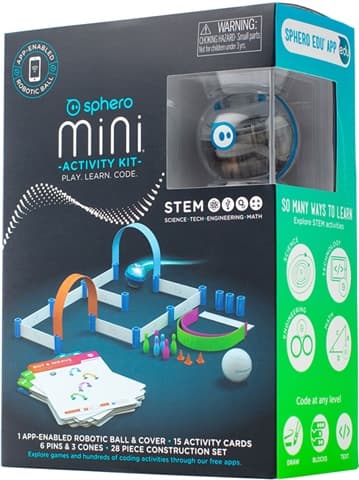
| Sphero Mini | 5–10 years | Ping-pong size, Removable Shell, Micro-USB, Gyroscope & Accelerometer | Budget (£45–£55) | Affordable, fun entry point best suited for casual driving and basic Scratch blocks. | See it on Amazon |
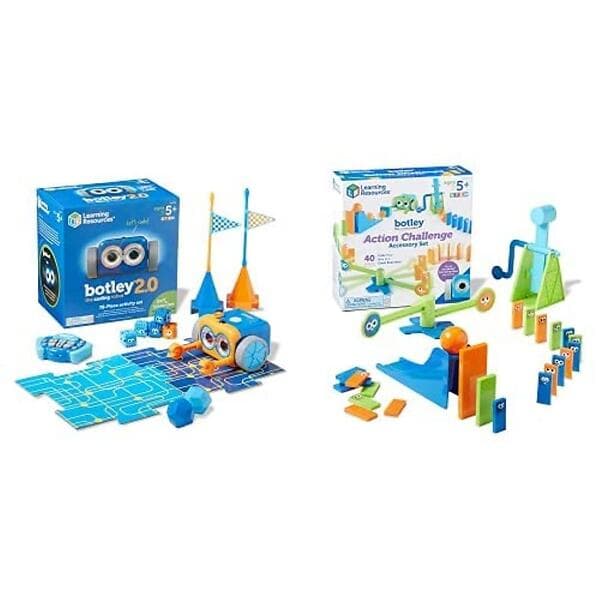
| Learning Resources Botley 2.0 | 5–9 years | Screen-free remote, 150-step memory, light-up eyes, obstacle sensors | Mid-Range (£60–£80) | Exceptional screen-free logic builder for Key Stage 1 learners. | See it on Amazon |
| Wonder Workshop Dash Coding Robot | 6–11 years | 3 microphones, dual wheels, movable head, voice interaction | Premium (£140–£180) | Highly expressive character robot that excels at narrative and visual coding. | See it on Amazon |
| Sphero indi Robot Student Kit | 4–8 years | Colour sensor, unplugged tile-based programming, silicone tiles | Mid-Range (£100–£125) | Brilliant tactile introduction to computational thinking without screens. | See it on Amazon |
| Learning Resources Artie 3000 Coding Robot | 7–12 years | Built-in local Wi-Fi, drawing marker slot, geometry & code output | Budget-Mid (£50–£70) | Translates code into tangible artwork; ideal for STEAM-focused creative kids. | See it on Amazon |
| Makeblock Codey Rocky Coding Robot | 6–12 years | Dot-matrix screen, detachable controller, tank tracks, IoT/AI support | Mid-Range (£80–£110) | Feature-packed robotics vehicle bridging Scratch to Python programming. | See it on Amazon |
Deep-Dive Breakdown: Sphero BOLT
Hardware, Build Quality, and Durability
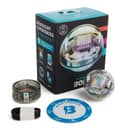
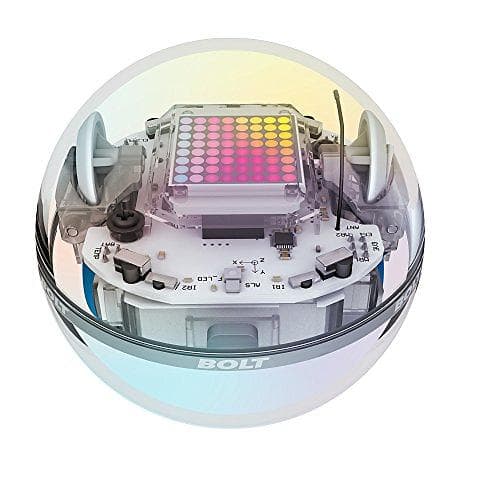
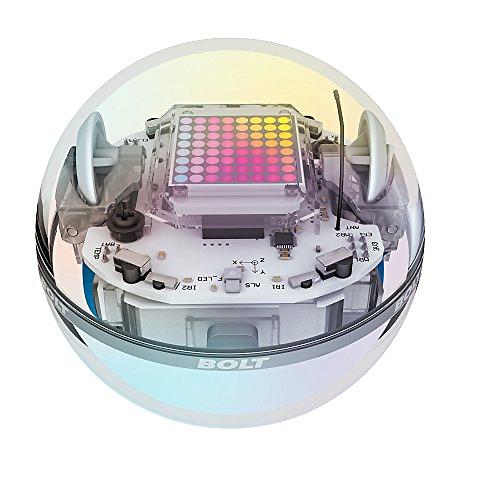
The Sphero BOLT is housed in a clear, sealed polycarbonate shell roughly the size of a baseball. Unlike cheaper plastic toys, BOLT is completely waterproof and heavily shock-resistant. The transparent exterior is not just an aesthetic flourish; it turns the robot into an open visual schematic. Children can watch the internal gyroscopes spin, trace the copper motor coils, and view the printed circuit boards in real time as the ball accelerates across hardwood floors or carpet.
Because the shell is completely sealed, charging happens via an included inductive charging cradle. You place the ball on the cradle, it aligns magnetically, and recharges without requiring any ports or cables plugged into the robot itself. The manufacturer states BOLT delivers 2+ hours of continuous battery life on a single charge. In real-world educational sessions, that runtime frequently translates to several days of intermittent coding experiments without needing a top-up.
The Sensor Array and Programmable 8x8 LED Matrix
What justifies the higher price tag of BOLT is its comprehensive sensor suite. BOLT incorporates:
- 8x8 Programmable LED Matrix: An animated grid that can display real-time sensor data, scrolling text messages, digital eyes, or custom sprite animations programmed by the child.
- Infrared (IR) Transceivers: Allows BOLT to communicate with other BOLT units, enabling swarm programming, multi-bot tag games, or obstacle broadcasting.
- Ambient Light Sensor: Measures ambient illumination, letting kids write conditions like "if light level drops below 20%, turn on front headlights and run away."
- Digital Compass & Magnetometer: Enables true directional navigation (e.g. "drive due North"), which prevents orientation drift over long distances.
- Advanced IMU (Gyroscope & Accelerometer): Tracks velocity, orientation, and impacts with precise data telemetry plotted directly within the app.
- Motor Encoders: Measures exact wheel revolutions, allowing precision mathematics and geometry challenges.
The visual feedback from the 8x8 LED matrix changes how children interact with code. Instead of only checking a tablet screen for a variable's value, the robot itself displays the output instantly. That physical-to-digital loop builds intuitive understanding faster than abstract desktop simulations.
Software Ecosystem and Curriculum Depth
BOLT operates seamlessly across the Sphero Edu app, which supports iOS, Android, macOS, Windows, and ChromeOS. It offers three tiered programming interfaces:
- Draw Mode: Younger learners draw freeform paths on screen that the robot traces out physically.
- Block Mode (Scratch-based): Intermediate coders snap together conditional statements, loops, math operators, and sensor readouts.
- Text Mode (JavaScript): Older kids and teens can view the underlying code behind their blocks and write raw JavaScript from scratch.
Additionally, for casual entertainment, BOLT pairs with the Sphero Play app, allowing children to use the sphere as a physical tilt controller for arcade games on their tablet or drive it around using on-screen virtual joysticks.
Deep-Dive Breakdown: Sphero Mini
Compact Design and Hardware Realities
The Sphero Mini is approximately the size of a standard ping-pong ball. It is remarkably light and portable, fitting comfortably inside a jacket pocket or small pencil case. However, its mechanical architecture differs fundamentally from BOLT.
The Mini utilizes a two-piece split plastic shell that pops open down the centre. Inside sits a tiny mechanical core containing the drive wheels, counterweight, battery, and circuit board. To charge the Sphero Mini, you must physically pry the outer shell apart with your fingernails and plug a standard Micro-USB cable into the exposed inner core. While functional, the shell can be fiddly for smaller hands to open and close without misaligning the plastic tabs.
Because the shell opens, the Sphero Mini is neither waterproof nor dust-sealed. Running it across dusty carpets or through kitchen spills will compromise the internal gears over time. Battery life sits at approximately 45 minutes of continuous drive time, requiring roughly an hour on charge between sessions.
Sensors and Interactive Features
Despite its modest price, the Mini retains genuine coding capability. It includes:
- Internal IMU (Gyroscope & Accelerometer): Detects tilt, rolling speed, and collisions.
- Single RGB LED: Illuminates the entire sphere in customizable solid colours, but cannot display graphics or alphanumeric text like BOLT's matrix.
- Sphero Edu App Compatibility: Programmed through the same Block and JavaScript environment as BOLT, including access to the Sphero AI Assistant for code debugging.
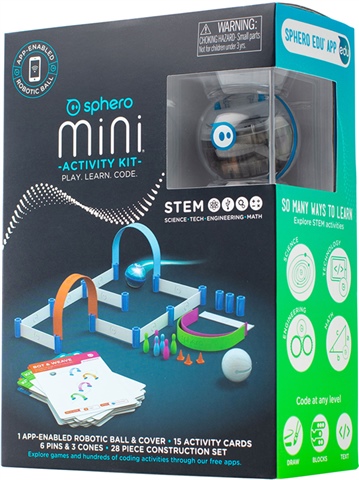
- Accessory Set: The standard Mini kit includes 6 miniature plastic bowling pins, 3 traffic cones, and construction pieces to build obstacle courses straight out of the box.
The Mini lacks an ambient light sensor, compass, motor encoders, and infrared communication. Consequently, navigation requires constant manual recalibration ("aiming" the blue tail light toward the user) to ensure the robot moves in the intended directional frame.
Sphero BOLT vs Sphero Mini: Direct Comparison
1. Durability and Everyday Use
If your child is under 10 or prone to dropping gadgets on hard kitchen tiles, BOLT's unibody construction provides vastly superior peace of mind. It can plunge into a pet water bowl or tumble down a staircase without suffering internal damage. The Mini's snap-together shell can pop open upon hard impact, scattering the mechanical core across the floor. While replacement shells are inexpensive, the exposed mechanics make the Mini strictly an indoor, tabletop-and-clean-floor device.
2. Coding Ceiling: Primary School vs GCSE Computer Science
The Mini offers complete access to block-based logic and introductory JavaScript syntax. If a child wants to understand variables, loops, and basic trigonometry, the Mini handles those concepts effortlessly. However, BOLT's inclusion of a digital compass, ambient light sensor, and motor encoders unlocks real computational physics. Secondary school students can calculate light attenuation, map out Cartesian coordinates, and write complex collision avoidance algorithms that the Mini simply lacks the hardware inputs to execute.
3. The Price-to-Value Ratio
At roughly £45 to £55, the Sphero Mini represents one of the lowest financial barriers to entry in authentic educational robotics. It makes a sensible stocking filler or birthday gift when you are unsure if a child will maintain interest in coding. At £130 to £160, BOLT requires serious consideration. If you know the recipient already loves Scratch, participates in school coding clubs, or enjoys building intricate logic challenges, BOLT's two-hour battery life and sensor depth easily justify the extra £80+ spend over several years of use.
Alternative Coding Robots Worth Considering
If neither Sphero sphere matches your recipient's specific learning style or age bracket, several alternatives excel in distinct educational niches.
Learning Resources Botley 2.0
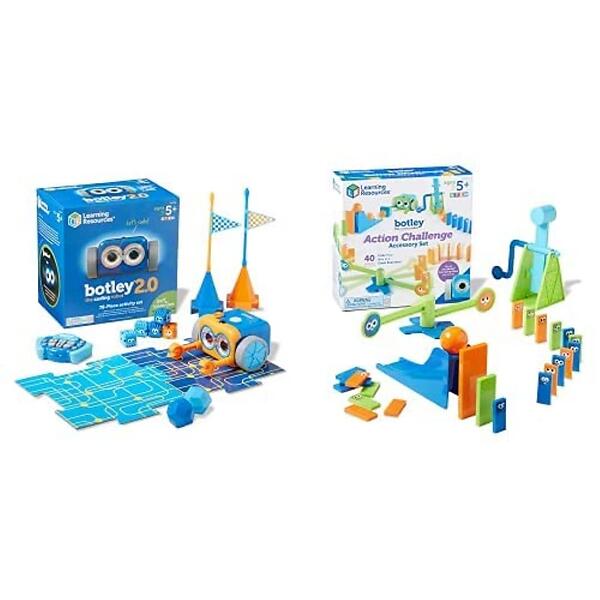
Not every parent wants another screen in their child's hands. The Learning Resources Botley 2.0 eliminates tablets and smartphones entirely. Children program Botley using a chunky, handheld remote transmitter with tactile directional buttons, inputting sequences of up to 150 individual steps.
Botley 2.0 features obstacle detection, light-up LED eyes, and line-following capabilities. It comes with a 78-piece activity set containing coding cards, detachable arms, and obstacle courses. For children aged 5 to 8, this tactile, screen-free methodology teaches algorithmic sequencing and cause-and-effect logic without digital distractions.
Wonder Workshop Dash Coding Robot
For children aged 6 to 11 who respond better to animated, character-driven toys, the Wonder Workshop Dash Coding Robot offers personality that spherical robots cannot match. Dash features three motorized wheels, a swivelling robotic head, dynamic sound effects, and three built-in microphones that let it respond to the child's voice.
Dash connects via Bluetooth to free mobile apps (including Blockly and Wonder), guiding learners through story-driven coding quests. It comes fully assembled and is widely adopted across primary schools for classroom storytelling and interactive theatrical projects.
Sphero indi Robot Student Kit
For early learners aged 4 to 8, the Sphero indi Robot Student Kit takes a completely physical, colour-driven approach to coding. Shaped like a friendly car, indi uses an onboard optical sensor on its undercarriage to read colour-coded silicone floor tiles.
Green tiles accelerate the car, red stops it, yellow slows it down, and purple triggers celebration dances. Children design mazes and solve spatial navigation puzzles purely by laying out physical mats. While an optional companion app exists for customising colour behaviours, indi functions brilliantly as a 100% screenless computational thinking kit.
Learning Resources Artie 3000 Coding Robot
If your child leans more towards visual arts than pure robotics, the Learning Resources Artie 3000 Coding Robot blends programming with drawing. Children place a washable marker into Artie's central slot, connect their tablet directly to Artie's built-in local Wi-Fi network (no external internet connection required), and write code that commands Artie to draw geometric mandalas, line art, or custom maze layouts on paper.
Artie supports Point & Click, Blockly, Snap!, Python, and JavaScript. It serves as an engaging bridge between mathematical geometry and practical coding output.
Makeblock Codey Rocky Coding Robot
The Makeblock Codey Rocky Coding Robot is a versatile two-in-one platform. "Codey" is a handheld controller equipped with an LED dot-matrix display, speaker, light sensor, and gyroscope. "Rocky" is a motorized tank base that carries Codey across rough surfaces.
Codey Rocky shines in its software scalability: it runs on the mBlock 5 platform, letting learners write graphical Scratch code with one-click conversion into live Python. It also integrates modules for basic Artificial Intelligence (voice/face recognition) and Internet of Things (IoT) weather data, making it an exceptional training ground for tech-savvy primary and middle schoolers.
Which Robot Should You Buy?
Choosing between these coding robots comes down to clear educational milestones and hardware expectations:
- Buy the Sphero Mini if you want an affordable, highly capable introduction to Scratch block coding and casual app-controlled driving for a child aged 6 to 10, without committing a triple-digit budget.
- Buy the Sphero BOLT if you are buying for an older primary or secondary school pupil (ages 8 to 15) who needs durable hardware, rich sensor feedback, inductive charging, and genuine JavaScript headroom that will remain relevant for years.
- Buy the Learning Resources Botley 2.0 or Sphero indi if your absolute priority is screen-free tactile play for young children under 8.
For serious STEM enthusiasts looking for the best balance of classroom-grade software, rugged physical engineering, and advanced sensor telemetry, the Sphero BOLT remains the definitive choice.