As an Amazon Associate I earn from qualifying purchases. This page contains affiliate links, and I may earn a commission at no extra cost to you.
Handing an eight-to-fourteen-year-old an educational coding robot can go one of two ways: it becomes a gateway to actual programming and hardware tinkering, or it ends up shoved into a cupboard once the initial remote-control novelty wears off. The difference almost always comes down to software progression, physical resilience, and how closely the kit mirrors the computing tools taught in UK schools.
At the top of the category sit two distinct philosophies. The Sphero BOLT App-Enabled Robot is a hermetically sealed, waterproof polycarbonate ball packed with advanced sensors and an LED matrix. The Makeblock mBot Coding Robot Kit, by contrast, is a hands-on mechanical vehicle built from extruded aluminium parts, external circuit boards, and modular motors. Both hover between the mid-range and premium educational price points, but they serve completely different learners.
Quick Comparison: Sphero BOLT vs Makeblock mBot & Top Rivals
Here is how the leading coding robots compare across programming languages, hardware designs, and age targets:
| Robot Model | Key Architecture | Coding Languages | Target Stage | Price Band | Buy Link |
|---|---|---|---|---|---|
| Sphero BOLT App-Enabled Robot | Sealed polycarbonate sphere, 8x8 LED matrix | Draw, Scratch-style Blocks, JavaScript | Ages 8+ (KS2/KS3) | Premium | See it on Amazon |
| Makeblock mBot Coding Robot Kit | Aluminium chassis, modular RJ25 ports | Scratch 3.0 (mBlock), Arduino C | Ages 8–14 (KS2/KS3) | Mid-Range | See it on Amazon |
| Wonder Workshop Dash Coding Robot | Three-wheeled articulated pyramid | Blockly, Wonder, Blockly-based apps | Ages 6–11 (KS1/KS2) | Premium | See it on Amazon |
| Sphero Mini App-Enabled Robotic Ball | Compact ping-pong sized shell | Draw, Blocks, JavaScript / Python | Ages 7+ (KS2) | Budget | See it on Amazon |
| Learning Resources Botley 2.0 The Coding Robot | Hard plastic rover with direct remote coder | Screen-free button sequencing (150 steps) | Ages 5–9 (EYFS/KS1) | Budget | See it on Amazon |
| Makeblock Codey Rocky Smart Robot | Detachable controller + crawler base | Scratch 3.0 blocks, Text Python | Ages 6+ (KS2) | Mid-Range | See it on Amazon |
Head-to-Head: Sphero BOLT vs Makeblock mBot
1. Hardware Philosophy and Durability
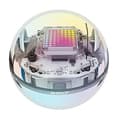
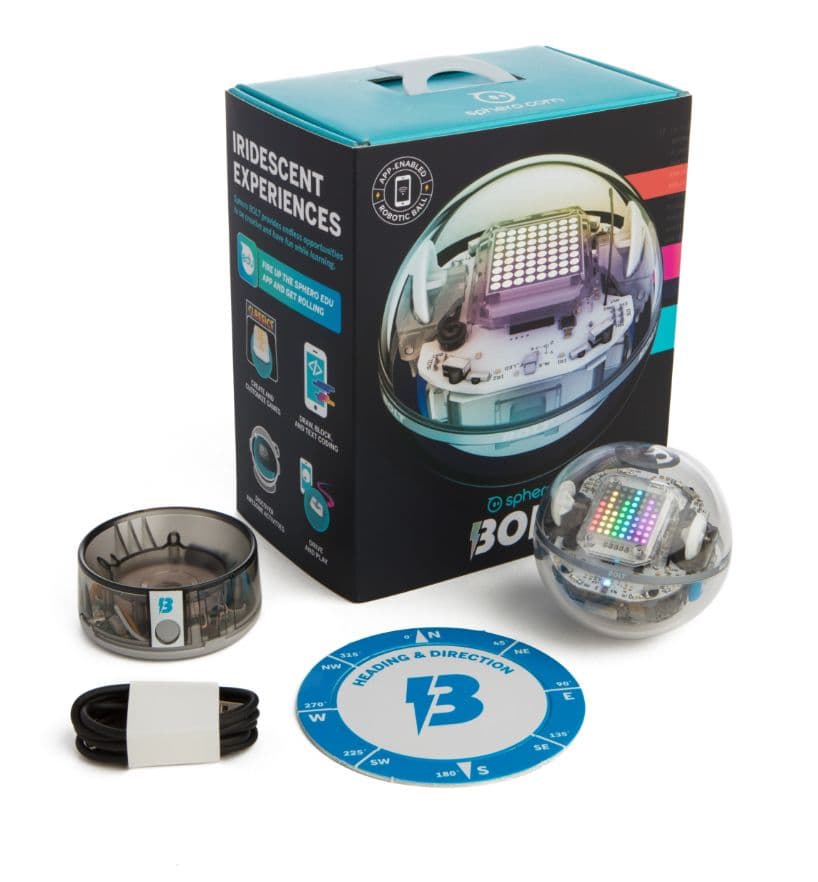
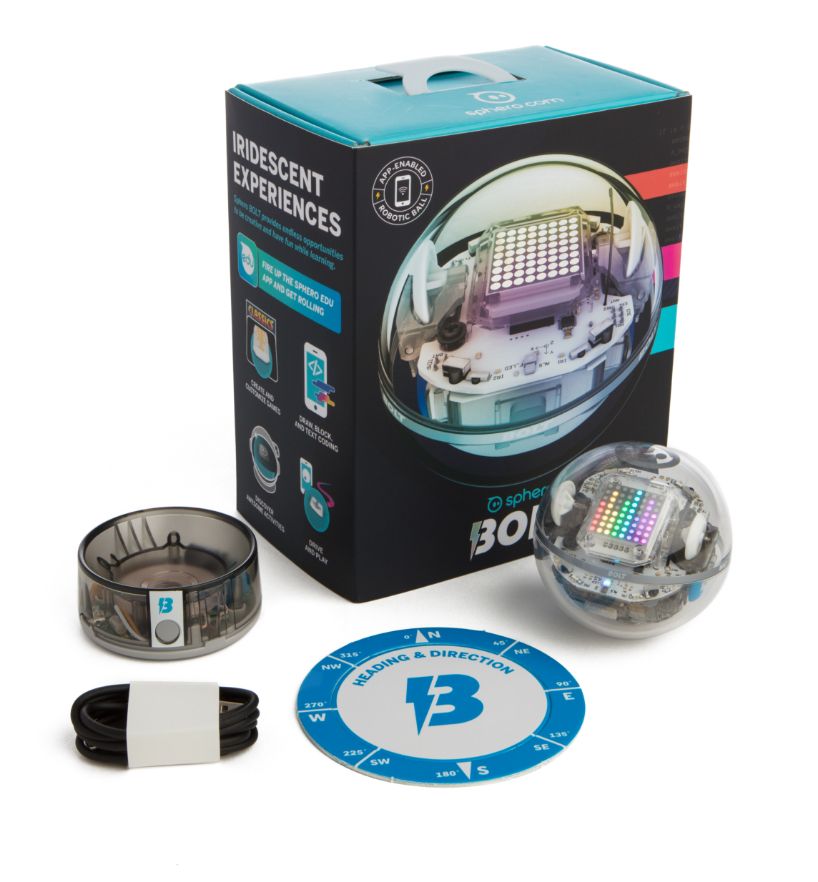
The Sphero BOLT App-Enabled Robot is built like a tank disguised as a toy. Because its electronics, gyroscope, accelerometer, motor encoders, and battery are completely sealed inside an optical-grade polycarbonate shell, it is fully waterproof and virtually indestructible under standard household abuse. It can roll off a dining table, plunge into a bowl of water, or bounce across patio tiles without risking snapped wires. Inductive wireless charging means there are no charging ports to jam with fluff or bend with rough cable handling.
The Makeblock mBot Coding Robot Kit takes the opposite approach. It arrives as roughly 40 discrete parts that your child must assemble using a real screwdriver. The anodised aluminium frame is exceptionally sturdy, but the ultrasonic sensor, line-follower array, and RJ25 ribbon cables remain exposed. For a child who loves Meccano or Lego Technic, building the robot is half the excitement. However, exposed cables and modular boards mean it will not survive dropped drinks, outdoor puddles, or rough handling from younger siblings.
2. Software Progression: Scratch vs Text Coding
The software environment determines whether a STEM toy lasts three years or three days. The UK National Curriculum for Computing introduces block-based coding (primarily Scratch) in Key Stage 2, transitioning to text-based languages like Python in Key Stage 3. Both robots support this pipeline, but they fork in which text language they prioritise.
Sphero's ecosystem runs on the Sphero Edu app. Beginners start with simple canvas drawing, advance quickly into standard block coding (Scratch syntax), and can inspect or write raw JavaScript underneath every block. The built-in 8x8 LED matrix gives instant feedback, allowing children to program scrolling text, animation frames, or live sensor readouts.
The mBot uses Makeblock's mBlock software, a polished implementation of Scratch 3.0. Instead of JavaScript, mBlock transitions children into Arduino C and introductory Python. Because mBot is built around an Arduino-compatible microcontroller (ATmega328), kids can view real C++ code side-by-side with their drag-and-drop stacks. For children intending to study GCSE Computer Science or electronics, mBot provides a closer look at microcontroller hardware.
3. Sensor Versatility and Onboard Feedback
BOLT is arguably the most sensor-rich standalone educational robot in its class. In addition to standard motor encoders and IMUs (accelerometer/gyroscope), it features an ambient light sensor, an electronic compass (magnetometer), and 360-degree infrared transceivers. These IR sensors allow multiple BOLT units to detect one another, swarm, or play tag through code. Its 8x8 matrix display acts as a customisable screen, which makes debugging far more visual and engaging for kids.
mBot relies on external sensor modules. Out of the box, it includes an ultrasonic distance sensor (the recognisable 'eyes' on the front) and a dual-channel line-tracking sensor underneath. While it lacks an integrated graphic display or compass, it has an onboard buzzer and programmable RGB LEDs. The trade-off is expandability: you can plug in third-party Arduino sensors, micro switches, and extra motor drivers, which is impossible on the closed Sphero ball.
The Core Contenders: Detailed Product Breakdown
Sphero BOLT App-Enabled Robot
The Sphero BOLT App-Enabled Robot remains the benchmark for classroom-ready, friction-free robotics. With a battery life of over 2 hours on a single inductive charge, it easily outlasts most complex play sessions. The clear shell lets children view the internal mechanical gears and circuit boards while keeping the electronics safe from liquids, drops, and pets.
The Sphero Edu platform is consistently updated and works across iOS, Android, macOS, Windows, and ChromeOS. The companion Sphero Play app allows casual driving via joystick, slingshot, or tilt modes, preventing the device from feeling purely academic when a child just wants to play.
Makeblock mBot Coding Robot Kit
The Makeblock mBot Coding Robot Kit delivers an authentic engineering experience. Children learn how motors connect to microcontrollers, how ground sensors differentiate between white floors and black tape, and how ultrasonic waves measure obstacle distance. The chassis features Lego-compatible mounting holes, allowing children to mount brick structures and mechanical arms to the top deck.
Power delivery is the main practical downside to keep in mind. Standard mBot versions run on four AA batteries or an optional 3.7V lithium pack. If your child uses disposable alkaline batteries, motor drain will chew through them quickly, making rechargeable AA cells an essential additional purchase.
Four Alternatives Worth Considering
1. Best for Younger Kids (Ages 6–10): Wonder Workshop Dash
If you have a primary school child who wants a robot with personality rather than exposed circuit boards, the Wonder Workshop Dash Coding Robot is an exceptional alternative. Unlike BOLT and mBot, Dash comes fully assembled and features expressive head movements, interactive voice prompts, and playful sound effects that immediately captivate Key Stage 1 and early Key Stage 2 pupils.
The Wonder and Blockly apps break programming concepts into bite-sized quest adventures. Dash is loaded with distance sensors, microphone arrays for voice detection, and programmable LEDs, but it caps out earlier on text-based coding compared to Sphero's JavaScript or mBot's Arduino C.
2. Best Budget Entry to Sphero: Sphero Mini
If you want the Sphero Edu software ecosystem without committing to the premium price tag of BOLT, the Sphero Mini App-Enabled Robotic Ball is the logical entry point. About the size of a ping-pong ball, Mini includes a built-in gyroscope and accelerometer, connects via Bluetooth, and supports the same draw, block, and text programming workflows.
The activity kit bundle comes with bowling pins, traffic cones, and challenge cards. It lacks BOLT's waterproof shell, light sensor, compass, IR communication, and LED matrix, and it charges via a micro-USB cable hidden inside the pop-open shell. However, at roughly a third of BOLT's price, it offers remarkable coding value.
3. Best Screen-Free Logic Builder (Ages 5–8): Botley 2.0
For parents wary of handing another tablet or smartphone to a younger child, the Learning Resources Botley 2.0 The Coding Robot completely eliminates screens. Coding commands are entered entirely through a handheld remote controller, letting children program sequences up to 150 steps.
Botley 2.0 introduces fundamental computer science principles: algorithms, loops, object detection, and conditional logic. While it cannot teach syntax-based code like JavaScript or Python, it establishes core computational thinking for early years learners before they ever touch an app.
4. Best Out-of-the-Box Scratch & AI Hybrid: Makeblock Codey Rocky
If you like Makeblock's software depth but do not want the loose screws and exposed wiring of the traditional mBot, the Makeblock Codey Rocky Smart Robot bridges the gap. It consists of a detachable controller module ('Codey') with an LED display, sound generator, and sensors, plugged into a dual-motor tank crawler base ('Rocky').
Codey Rocky is ready to code right out of the box and natively integrates with mBlock's cloud features, including speech recognition, facial emotion detection, and IoT (Internet of Things) projects. It provides a seamless transition from Scratch to Python without requiring assembly.
Buying Checklist: Matching the Robot to Your Child
- Physical Tinkering vs Software Logic: Does your child prefer building models and bolting parts together, or drawing paths and creating digital animations? If mechanics excite them, choose mBot; if coding algorithms and sensor data drive them, choose BOLT.
- Device Ecosystem: Ensure your tablet, phone, or laptop supports the companion apps. Sphero Edu and Makeblock mBlock both run on iOS, Android, and Windows, but verify Bluetooth Low Energy (BLE) support on older tablets.
- Durability in Busy Households: If the robot will be used on hard floors around pets or younger siblings, BOLT's sealed polycarbonate hull prevents accidental damage far better than mBot's exposed wiring.
- Power Convenience: BOLT's inductive charging cradle eliminates cable clutter, while mBot requires managing 4x AA batteries or sourcing a compatible rechargeable pack.