As an Amazon Associate I earn from qualifying purchases. This page contains affiliate links, and I may earn a commission at no extra cost to you.
Buying an Electronic Cutting Machine Without the Headache
Buying a cutting plotter for a creative friend, teenager, or partner is notoriously tricky. The machines themselves are only half the equation; without the correct adhesive mats, weeding tools, blades, and raw materials, unwrapping one on Christmas morning or a birthday leads straight to frustration. You hand over a sleek piece of hardware, and the recipient immediately realises they still need mats, tools, and materials before they can produce their first vinyl decal or greeting card.
That is where all-in-one packaging steps in. The Cricut Explore 5 Deluxe Bundle aims to fix the empty-box problem by pairing Cricut's mid-tier cutting hardware with a practical selection of accessories right out of the gate. However, Cricut offers multiple bundle tiers—Essentials, Deluxe, and Ultimate—and figuring out whether the Deluxe tier offers the right balance of utility and value requires looking closely at what is included and what gets left out.
If you are shopping during seasonal promotions such as Amazon Big Deal Days, timing matters too. Many of the steepest discounts on this specific bundle are earmarked exclusively for Amazon Prime members. If you do not currently hold an active membership, you can easily activate a 30-day free Prime trial to lock in the promotional pricing before checking out.
What Makes the Explore 5 Hardware Tick?
The Explore line represents Cricut's core platform for everyday hobbyists, cardmakers, and custom apparel creators. Positioned just below the industrial-leaning Maker series, the Explore 5 focuses on precision cutting, drawing, scoring, and foiling across roughly 100 popular craft materials, including standard adhesive vinyl, heat transfer vinyl (HTV/iron-on), cardstock, glitter paper, bonded fabric, and faux leather.
Dual carriage clamps allow the machine to hold a fine-point cutting blade alongside an accessory pen or scoring stylus simultaneously. This means you can command the machine to draw an intricate calligraphy border and cut out a gift tag in a single automated pass without pausing to swap tools manually. Connectivity runs via high-speed Bluetooth or standard USB, pairing with laptops, iPads, or smartphones running Cricut Design Space.
For crafters who want to produce personalised water bottles, iron-on t-shirts, party banners, stickers, and seasonal home decor, the mechanical capabilities of the Explore 5 easily cover 90% of household crafting requirements. It stops short of cutting heavy structural materials like thick balsa wood or unbonded genuine leather—tasks reserved for the heavier-force Maker line—but for card and vinyl work, it operates with rapid speed and dependable line accuracy.
Unpacking the Bundles: Essentials vs Deluxe vs Ultimate
Cricut structures its retail bundles to hit different price brackets. Choosing the wrong tier usually means either paying for materials you will never use or missing essential tools you have to buy separately later.
- The Essentials Bundle: Generally bundles the core machine with a basic tool set (weeder, scraper, spatula) and a standard-grip cutting mat, plus a minimal sampler of adhesive vinyl. It gets you started, but runs out of supplies after two or three small projects.
- The Deluxe Bundle: The sweet spot for gift buyers. Along with the core machine and basic hand tools, the Deluxe package prioritises starter materials such as Smart Vinyl, Smart Iron-On, Value Cardstock, Insert Card Sets, and Printable Vinyl—enough to begin a wide range of card, apparel, and sticker projects immediately.
- The Ultimate Bundle: Packs in massive rolls of Smart Materials, multiple pen sets, heat-transfer rolls, transfer tape, and extra replacement blades. While comprehensive, it carries a much steeper price tag and often includes specialty rolls that casual hobbyists might leave sitting in a drawer for months.
The Deluxe Bundle hits the practical middle ground: it pairs the machine with a useful mix of vinyl, iron-on, cardstock, insert cards, and printable vinyl so the recipient can start making without a second shopping trip.
What Is Actually in the Deluxe Bundle?
The standout value in the Cricut Explore 5 Deluxe Bundle is the materials and digital content that ship with the machine. According to the current Amazon.co.uk listing, the Deluxe Bundle includes must-have tools and materials such as:
- Smart Vinyl: Ready-to-cut adhesive vinyl for custom decals and labels without wrestling oversize sheets onto a mat for every small job.
- Smart Iron-On: Heat-transfer material for personalised apparel and fabric projects.
- Value Cardstock: Card stock for cards, paper crafts, and layered designs.
- Insert Card Sets: Card bases and inserts so greeting-card projects can start on day one.
- Printable Vinyl: Print-then-cut material for full-colour stickers and decals with a home inkjet printer.
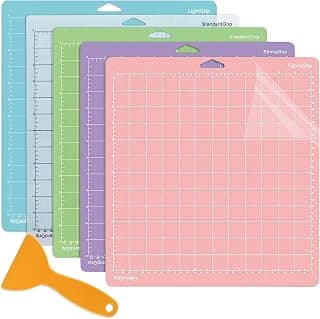
Cricut states this assortment is enough supplies to create up to 100 projects (typical project size assumed), and the bundle also includes bonus digital content—25 premium-quality images plus one font—with purchase. Compatible cutting mats and extra tools remain available separately if you want a wider grip range later.
Comparison: How the Explore 5 Stacks Up
Before committing to the Explore 5 Deluxe package, it helps to understand where it sits among modern cutting plotters in the hobby and light-business crafting space.
| Product | Key Feature | Price Band | Verdict | Buy |
|---|---|---|---|---|
| Cricut Explore 5 Deluxe Bundle | Smart Vinyl, Smart Iron-On, cardstock, insert cards, printable vinyl, dual-carriage tooling, Design Space | Mid-range | Best overall all-in-one gift set for everyday hobby crafters and papercraft lovers. | See it on Amazon |
| Cricut Maker 3 | Higher cutting force, Adaptive Tool System, broader material range | Premium | The heavy-duty pick when wood, leather, and specialty tools matter more than a materials bundle. | — |
| Silhouette Cameo 5 | Silhouette Studio power, offline vector control, quiet operation | Mid-range | Ideal for independent designers who dislike software paywalls and want vector freedom. | — |
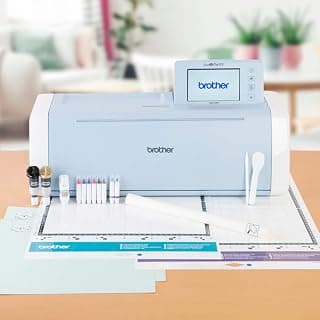
| Brother ScanNCut SDX1200 | Integrated 600dpi scanner, Auto-Blade depth sensor, 5-inch LCD touchscreen | Premium | Best standalone machine for quilters and stampers who want to craft without a PC. | See it on Amazon |
Design, Build Quality, and Software Experience
In terms of physical design, Cricut continues to lead the pack on fit and finish. The machine features a smooth, drop-down front tray, internal accessory storage compartments for spare blades and weeding hooks, and an integrated mobile device ledge on top so you can dock an iPad or phone securely while operating the machine.
Software is where most buyer debate centres. Cricut machines operate exclusively through Cricut Design Space, available on Windows, macOS, iOS, and Android. The interface is intuitive, visual, and remarkably beginner-friendly. A complete novice can pick a pre-made birthday card design, size it, place their paper on the LightGrip mat, and cut cleanly within 15 minutes of unboxing.
However, Design Space has trade-offs. While you can upload your own custom SVG and PNG files completely free of charge, Cricut heavily promotes its optional Cricut Access monthly subscription. This subscription unlocks thousands of proprietary fonts, licensed character designs (such as Disney and Marvel), and advanced editing functions. While not strictly required, gift recipients should be aware that the software regularly prompts them toward subscription content.
Who Is the Deluxe Bundle Actually For?
This bundle is particularly well-tailored for specific gifting profiles:
- The Ambitious DIY Crafter: Anyone who loves making bespoke wedding stationery, party favours, personalised water bottles, and custom mugs. The included vinyl, iron-on, cardstock, insert cards, and printable vinyl give them immediate access to card, apparel, and sticker projects without secondary shopping trips.
- Creative Teens and Students: Accessible enough for school projects, custom tote bags, laptop stickers, and bedroom decor, backed by an iPad-friendly app that keeps the learning curve manageable.
- Small Event and Etsy Starters: Crafters testing the waters of selling personalised items online will appreciate the reliability of the dual-carriage system and the starter materials included for small-batch runs.
Conversely, if the person you are buying for is an advanced graphic designer who demands offline vector node editing without proprietary cloud requirements, a platform like Silhouette may suit their workflow better.
Alternatives to Consider
If you want to weigh up other options before making a final decision, consider these three strong contenders:
1. Heavy-Duty Upgrade: Cricut Maker 3
If your budget stretches further and the recipient wants to cut heavy materials like balsa wood, matboard, basswood, or genuine leather, the Cricut Maker 3 is the natural step up. It delivers roughly ten times the cutting force of the Explore series and supports Cricut's Adaptive Tool System for rotary fabric cutting, debossing, engraving, and knife-blade carving. It also supports continuous Smart Material rolls up to 22.8 metres without a cutting mat, making it the superior machine for large-scale decals.
The Verdict on the Explore 5 Deluxe Bundle
The Cricut Explore 5 Deluxe Bundle delivers precisely what a creative gift bundle should: hardware reliability paired with Smart Vinyl, Smart Iron-On, Value Cardstock, Insert Card Sets, and Printable Vinyl that prevent day-one disappointment. While the software nudges users toward a paid subscription, the sheer ease of use, dependable cut quality, and balanced starter kit make it a standout purchase for hobbyists and creative families alike.