As an Amazon Associate I earn from qualifying purchases. This page contains affiliate links, and I may earn a commission at no extra cost to you.
Finding Desk Upgrades That Actually Earn Their Surface Space
Most novelty desk accessories suffer from the exact same flaw: they entertain you for twenty minutes on a Tuesday afternoon, run out of battery, and spend the next two years collecting dust behind a monitor stand. Finding a gift for a home-office worker or tech-minded teenager usually means navigating a minefield of cheap plastic gimmicks that look flashy in a video clip but offer zero genuine utility.
A genuinely great desk companion requires three distinct qualities: immediate physical tactility, effortless everyday integration, and build quality that feels substantial in the hand. Whether the goal is silencing meeting anxiety with a silent aluminium roller or automating tedious daily desktop routines with physical macro keys, spending under £100 can yield remarkable upgrades if you know which hardware holds up under continuous daily use.
Based on published technical specifications, ergonomic testing data, and extensive verified owner feedback, this guide examines four distinct desk tools and tactile play gadgets that consistently justify their footprint.
Quick Comparison: Desk Toys & Productivity Tools Under £100
| Product | Key Feature | Best For | Price Band | Buy Link |
|---|---|---|---|---|
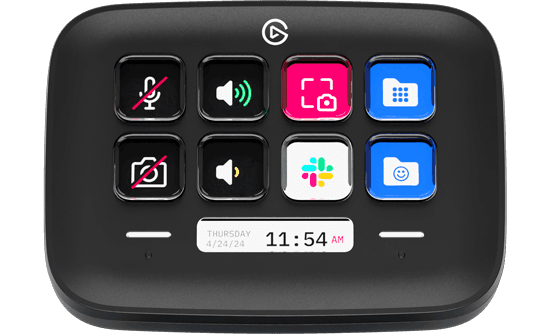
| Elgato Stream Deck Neo | 8 customisable LCD keys + Infobar | Workflow automation & app control | Under £100 | See it on Amazon |
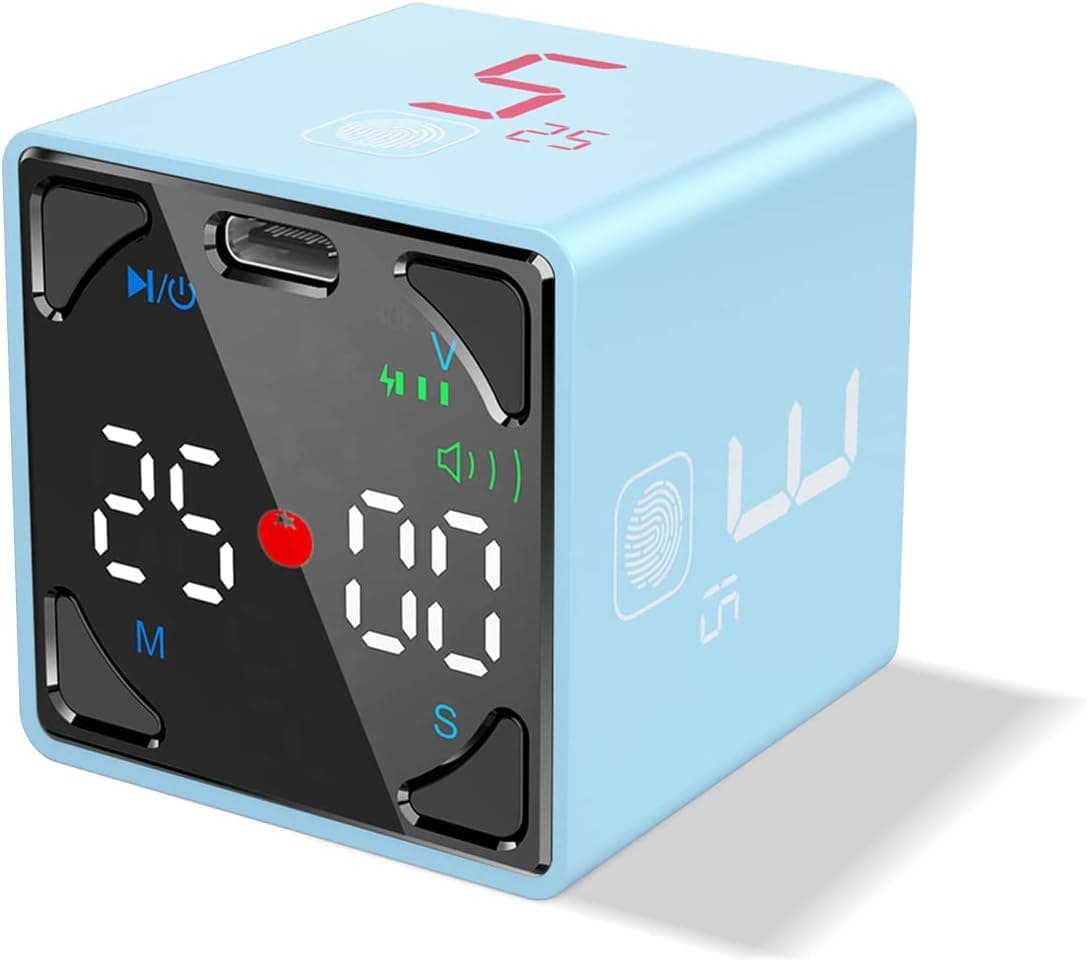
| TickTime Cube Visual Productivity Timer | Gyroscope flip-to-start + Pomodoro | ADHD focus & timeblocking | Under £50 | See it on Amazon |
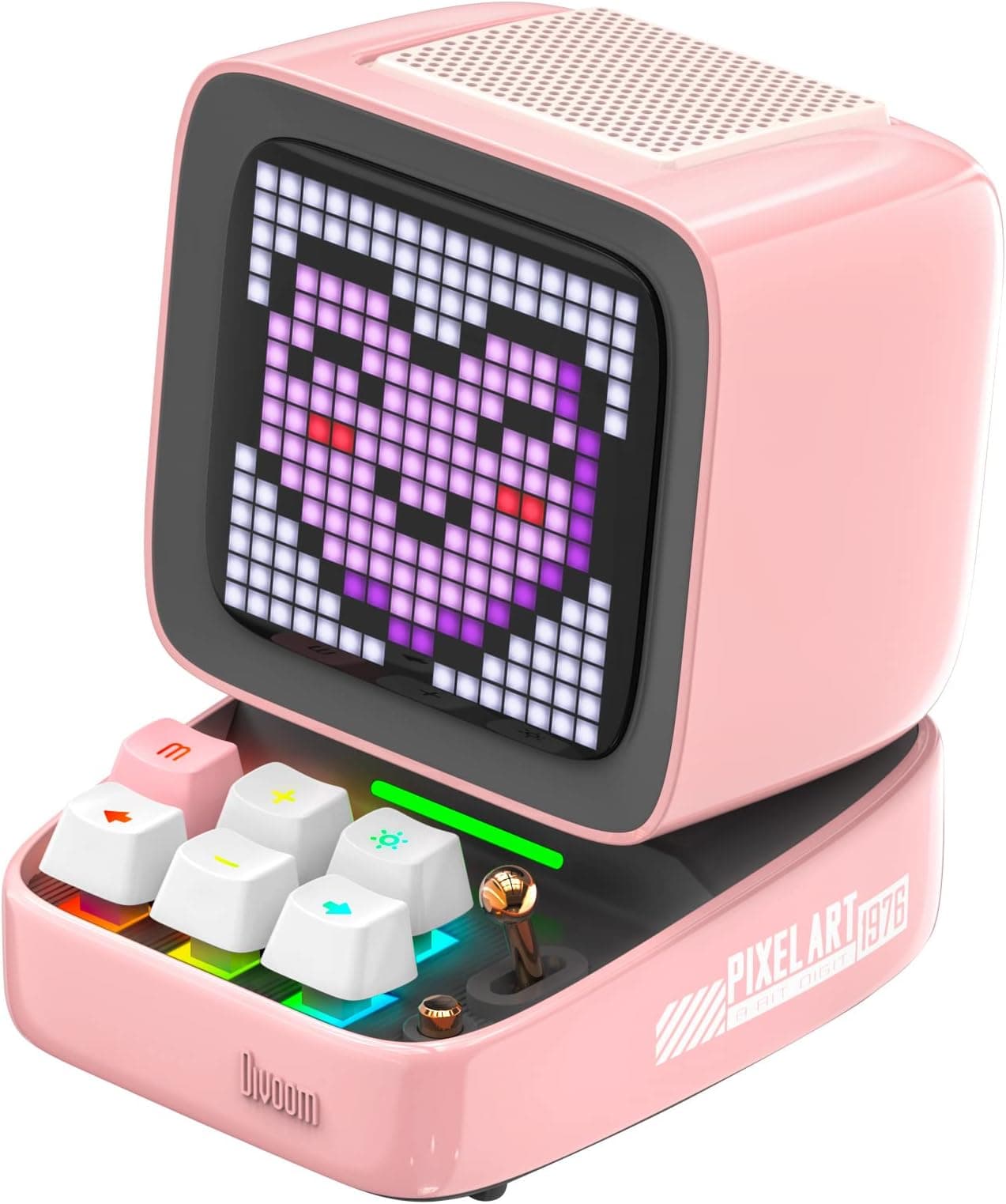
| Divoom Ditoo-Pro Pixel Art Desk Companion | 16×16 LED display + 15W DSP speaker | Retro visual charm & audio | Roughly £70–£90 | See it on Amazon |
| ONO Roller Original Handheld Fidget Toy | Frictionless aircraft-grade aluminium | Silent stress relief & deep focus | Under £40 | See it on Amazon |
1. Elgato Stream Deck Neo — The Productivity Powerhouse
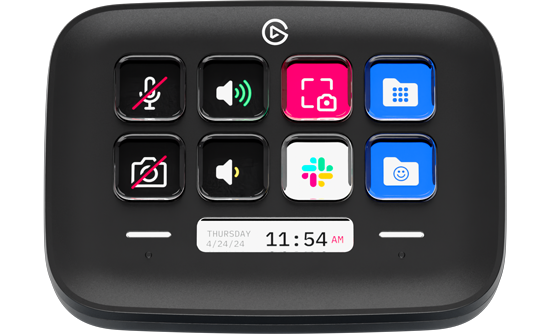
Elgato built its reputation on broadcasting hardware for streamers, but the Neo lineup shifts that functionality straight into mainstream office ergonomics. The Elgato Stream Deck Neo strips away industrial gamer aesthetics in favour of a clean, minimalist white chassis that looks natural next to a modern laptop or mechanical keyboard setup.
Design and Key Hardware
The device features eight customisable colour LCD keys arranged in two tidy rows of four, flanked by a low-profile touch sensor and a continuous "Infobar" display underneath. This secondary digital readout continuously displays background data such as the time, active profile, or custom notifications without consuming one of your primary action buttons.
The build relies on a sustainable curved casing with a weighted fixed stand that holds the keys at an accessible angle. Unlike touchscreens, these are physical, tactile switches that provide definite mechanical feedback on actuation. Each individual key contains an active LCD screen capable of displaying dynamic icons, live status indicators, or custom static artwork.
Everyday Workflow Utility
Where the Neo shines is in eliminating daily friction. By dragging and dropping actions within the desktop application, you can assign single-press triggers for:
- Muting and unmuting your microphone across Microsoft Teams or Zoom regardless of which window is in focus
- Toggling desktop smart lights, smart plugs, or ambient backlighting
- Launching complex multi-app workspaces with one tap (e.g. firing up Slack, Spotify, and your browser tabs simultaneously)
- Pasting canned email responses or standard code snippets without memorising keyboard shortcuts
Because the unit integrates directly with Windows and macOS system controls, media players, and productivity suites, it eliminates the cognitive load of hunting through open windows. For someone spending eight hours a day juggling video calls and spreadsheets, it acts as an external physical brain.
2. TickTime Cube Visual Productivity Timer — The Tactile Focus Anchor
Screen-based timers on phones and browsers come with a fatal vulnerability: picking up your mobile to check a countdown invites ten minutes of mindless notification checking. The TickTime Cube Visual Productivity Timer solves this by turning time management into a purely physical, screen-free ritual.
Gyroscope Controls and Pomodoro Cycles
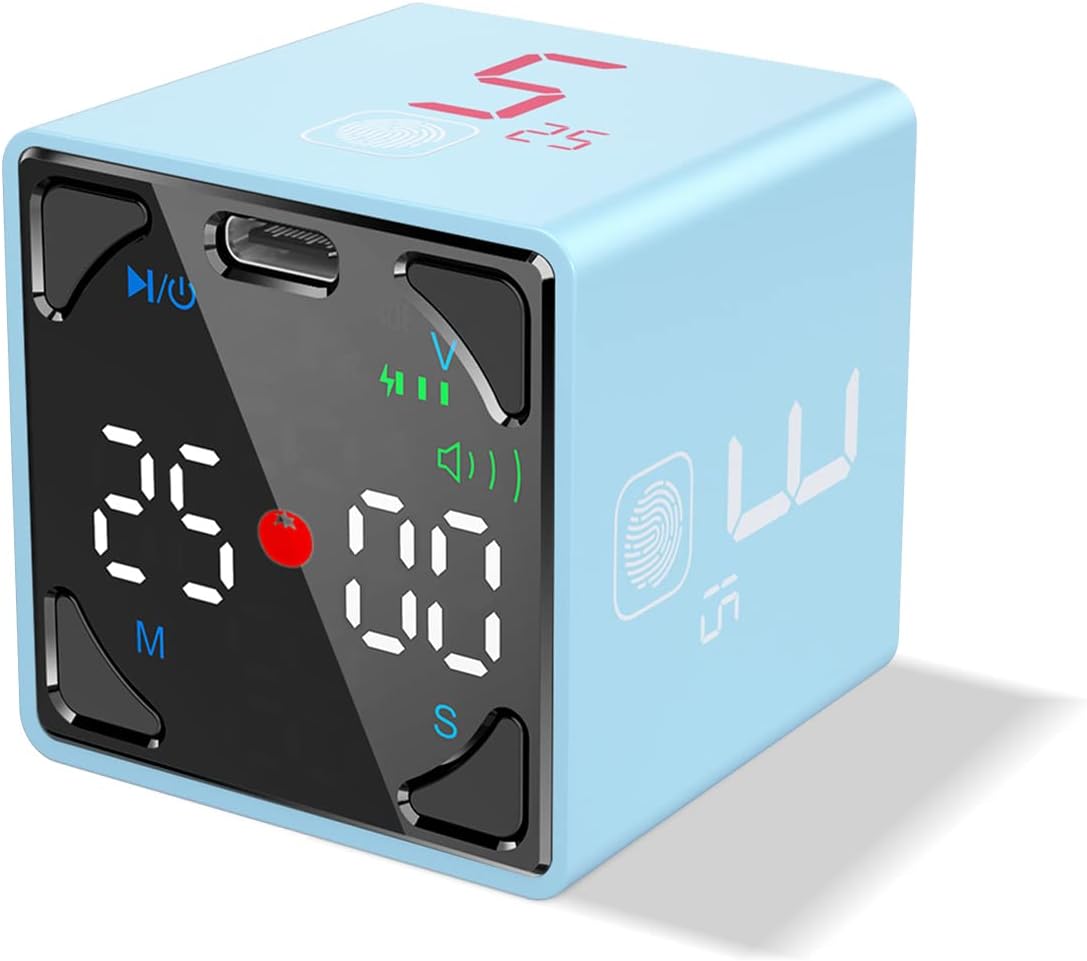
The unit measures just 1.7 inches across and operates on an internal gyroscope. To begin a timed focus block, you simply roll the cube onto the side showing your chosen duration (3, 5, 10, or 15 minutes). The display instantly reorients and begins counting down automatically—no buttons to wake, no menus to scroll through.
For structured study or coding sprints, the dedicated Pomodoro mode automates the classic 25-minute focus and 5-minute recovery interval, cycling up to four consecutive sessions without requiring manual restarts. If you need longer custom intervals, a long press unlocks 25, 45, or 60-minute blocks, while a fingerprint-style capacitive touch icon allows you to multiply baseline times up to sixfold.
Sensory Feedback and Portability
Unlike standard mechanical kitchen timers that tick incessantly, the TickTime Cube operates completely silently during countdowns. For notifications, users can choose between an audible chime, an escalating alert tone, or a silent vibration mode—a critical feature for shared open-plan offices, university libraries, or dorm rooms. The integrated magnetic base also allows it to clip onto steel monitor arms, whiteboards, or desk shelving, while USB-C recharging delivers around 14 hours of active operation per charge.
3. Divoom Ditoo-Pro — Retro Pixel Art Meets Desktop Sound
If you want a desk accessory that leans heavily into retro-computing nostalgia while packing genuine technical capability, the Divoom Ditoo-Pro Pixel Art Desk Companion occupies an entertaining middle ground between toy and audio peripheral.
Aesthetic Design and Hardware Specs
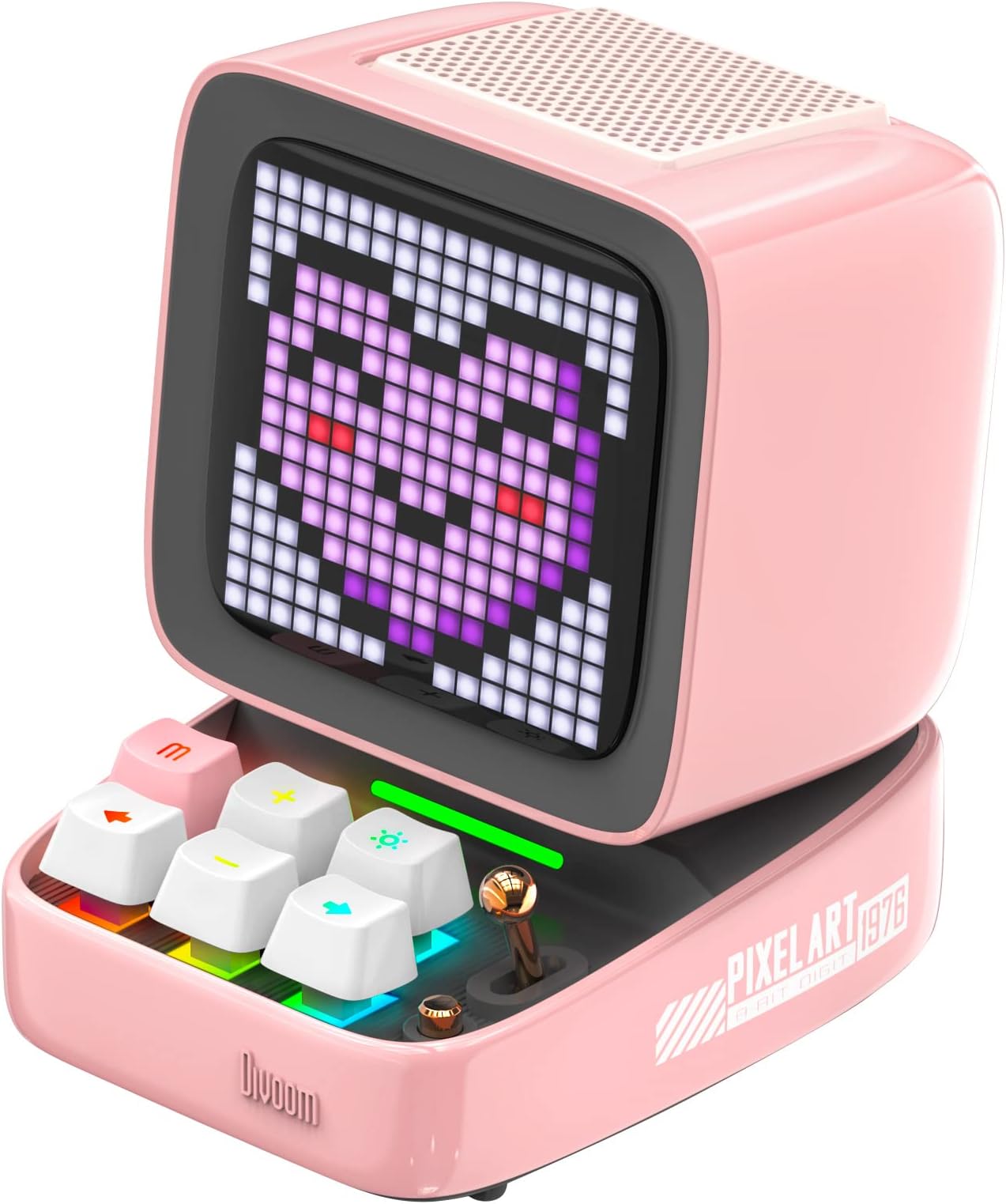
Shaped like a vintage CRT personal computer from the late 1980s, the Ditoo-Pro features a glossy chassis, a miniature functional pull-lever, and six clicky mechanical keyboard keys complete with per-key RGB backlighting. Dominating the front is a bright 16×16 programmable LED pixel screen capable of displaying millions of colour combinations.
Behind that retro shell sits a surprisingly capable audio package: a 58mm upward-firing driver powered by a 15W DSP-tuned acoustic chamber. While it will not replace a pair of dedicated studio monitors, it delivers full, rich mid-range audio and clear bass suitable for podcasts, lo-fi study music, and casual desktop listening. It accepts audio via Bluetooth 5.0, direct USB-C audio from your computer, or an onboard TF memory card slot.
Community Pixel Engine & Desk Tools
Through the companion mobile app, users can design their own pixel art animations or browse a global repository containing thousands of community-created retro graphics, gaming sprites, and audio visualisers. Beyond visuals, the device operates as a standalone smart desk clock, weather station, daily planner, white-noise sleep machine, and even runs basic pixel mini-games controlled via the miniature mechanical keys.
4. ONO Roller Original — The Premium Meeting Fidget Tool
Most fidget toys on the market are moulded from cheap plastics, click loudly, or involve frantic spinning motions that draw unwanted attention during professional video conferences. The ONO Roller Original Handheld Fidget Toy was engineered specifically to solve that problem for working adults.
Engineering and Tactile Experience
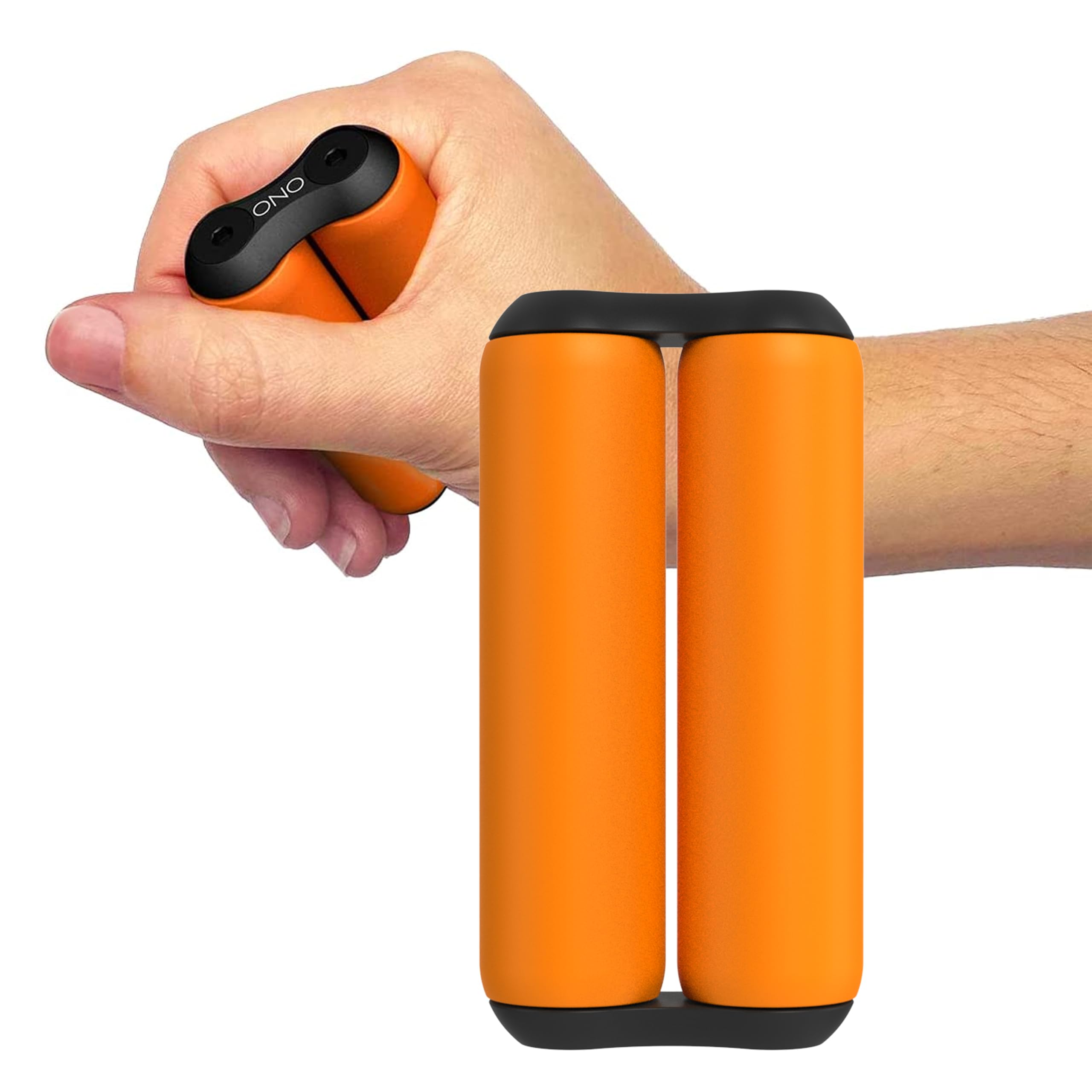
Machined from aircraft-grade solid aluminium, the ONO Roller consists of two parallel cylindrical barrels connected by smooth internal gearing. When rested in the palm, fingers effortlessly curl and roll the cylinders in a continuous, fluid wave motion. The movement engages the entire hand without demanding visual attention or conscious cognitive effort.
Because the unit uses frictionless internal bearings rather than open gear teeth, its operation is completely noiseless. You can manipulate it directly next to a sensitive desktop condenser microphone during a client call or in a quiet boardroom without producing a single click, clatter, or squeak.
Ergonomics and Focus Benefits
The substantial heft of the metal construction provides a soothing, grounding weight in the hand. Physical therapists and ergonomic researchers note that rhythmic, low-resistance hand movements can alleviate muscle stiffness from prolonged typing while simultaneously channeling nervous energy away from destructive habits like cuticle biting, pen clicking, or constant smartphone checking.
How to Choose the Right Desk Gadget for Your Setup
Selecting between these four distinct devices comes down to identifying the specific friction point you want to resolve:
- For Workflow Friction & Macro Control: Choose the Elgato Stream Deck Neo. It is easily the most practical, daily-driver investment for anyone spending lengthy hours on desktop computers or managing complex software suites.
- For Time Blindness & Distraction: The TickTime Cube Visual Productivity Timer provides a tangible physical barrier against phone checking and transforms task structuring into a quick, low-effort habit.
- For Visual Personality & Music: The Divoom Ditoo-Pro Pixel Art Desk Companion offers the most dramatic visual and gifting impact, pairing nostalgic styling with practical speaker hardware.
- For Physical Restlessness & Stress: The ONO Roller Original Handheld Fidget Toy represents the gold standard in silent, durable, tactile EDC tools designed specifically for professional environments.
Alternatives to Consider
If none of these four options matches what you have in mind, consider these two alternative approaches:
If you want pure macro control on a tighter budget, look at dedicated mechanical numpads or programmable micro-keypads. Conversely, if you want an ambient time-tracking display that sits stationary on a monitor shelf rather than flipping around your desk, a dedicated digital countdown bar or LED time tracker offers static visibility without taking up palm space.
Final Verdict
Among the lineup, the Elgato Stream Deck Neo represents the standout recommendation for modern home-office setups. While the Ditoo-Pro delivers immense retro charm and the ONO Roller excels at pure tactile relief, the Stream Deck Neo bridges the gap between fun physical interaction and genuine, repeatable productivity gains that save time every single day.